
I disabled 45 optional packages on my Samsung TV. My custom home screen still used nearly 40% of the CPU.
The biggest measured problem was the ocean of dots I had put there myself.
I went back with an AI coding agent to find out where that CPU time was going. We kept both waves, the pixel clock, and the app transitions. The launcher’s measured CPU use fell from 37.4% to about 20.5% after the renderer changes. Everything still went over Wi-Fi, with no cable between the TV and laptop.
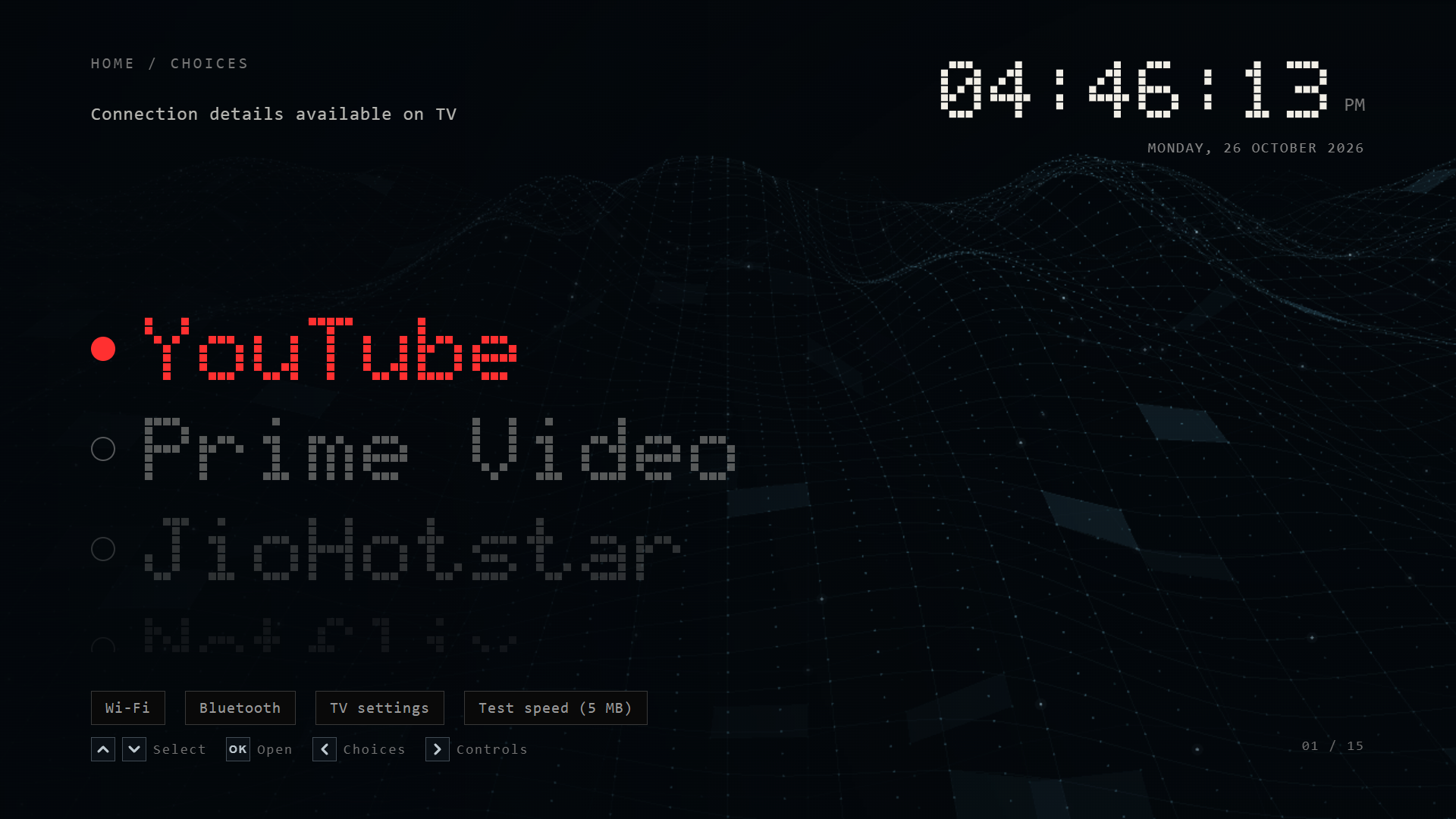
Browser capture of the installed launcher’s source. It shows the design, not a TV performance measurement. Connection values are available only on the TV.
This follows the original Wi-Fi modding story. The technical companion explains Developer Mode, signing, root access, and the Home-button work. Here I wanted to answer two questions: what was still running, and what was actually expensive?
Forty-five disabled packages did not explain the CPU
The hardware is the same 55-inch Samsung Crystal UHD UA55UE84AFULXL, running Tizen 9.0. The recorded firmware is T-KSU2EFUABC-0090-1300.9. These findings describe this device and software, not every Samsung TV.
The service audit captured 378 service inventory entries and 260 package registrations. I checked the optional package list against its saved baseline. Twenty-nine of the 45 targets had become enabled again; only 16 were still disabled.
We reapplied the approved list and checked the result. That mattered for keeping unwanted features suppressed, but the short before-and-after samples showed no clear CPU improvement from this service cleanup. Dot Home was still the largest measured user.
So I looked at the launcher.
The waves looked light. Drawing them wasn’t
The original background used a 2D canvas. Each painted frame projected the meshes, built drawing buckets, and drew lines, dots, bright squares, and glints. A desktop browser profile put repeated circle-path drawing near the top of the work.
The TV told a compatible story. Across two five-second intervals, Dot Home used 37.43% of the whole four-core CPU capacity. Its renderer thread alone used about 26.1%.
Here, 100% means all four cores together. A 37.4% reading is roughly 1.5 cores of capacity. It isn’t a percentage of just one core.
I used the browser profile to find expensive code, then checked changes on the TV. Those are separate measurements. Faster code on my laptop wouldn’t establish a saving on the TV.
The GPU rewrite was only half the fix
We moved wave projection into WebGL. The mesh became a static buffer. A shader calculated its movement, and indexed drawing replaced thousands of circle paths.
The faint second layer also got a smaller mesh. Highlight index arrays were reused instead of rebuilt as fresh objects every frame. Both independent waves stayed, with 72 square pulses and 160 dot glints allocated per layer. Those highlights fade independently; they are not all bright at once.
A cached 2D sprite experiment came first. It made the browser timing worse, so we dropped it.
The GPU version looked promising in the browser. At a 60 fps target, callback work fell from about 189 to 21 milliseconds per second of trace.
Then we measured it on the TV. Launcher CPU barely moved: 37.43% to 36.13%. Renderer work fell, but GPU-service and compositor work rose.
We’d moved much of the cost into other work.
We then limited only the animated background to a 30 fps target. Scrolling and app-transition timing stayed as they were. The two waves remained, and the launcher’s CPU reading fell to 20.45%.
| TV state | Launcher CPU | Whole-TV CPU | Launcher proportional RAM |
|---|---|---|---|
| Original 2D background, 2.0.18 | 37.43% | 50.35% | 76.8 MiB |
| GPU background, 60 fps target, 2.0.19 | 36.13% | 55.18% | 66.5 MiB |
| GPU background, 30 fps target, 2.0.20 | 20.45% | 37.12% | 61.8 MiB |
| Later recheck, same installed version | 20.53% | 46.81% | 57.2 MiB |
Each CPU row averages two approximately five-second intervals. These are short samples, not a sustained frame-rate or power test. The later whole-TV reading increased while the launcher stayed near 20.5%, which is why I keep those columns separate.
That’s about 45% less launcher CPU, calculated as (37.43 - 20.45) / 37.43. It doesn’t mean the whole TV became 45% faster.
The clock should not rebuild itself every second
The pixel clock originally replaced its complete SVG lettering on each tick. Now it keeps the unchanged character groups and replaces only the digits that changed.
The date updates only when its text changes. The AM/PM label gets reused. Hidden clock ticks do no work.
We also separated the clock and control text from the changing graphics surface. That fixed missing text seen during browser GPU testing. The original 2D renderer remains as a fallback if WebGL fails.
The frame limit made the larger difference. Keeping unchanged clock characters also meant less work on each tick.
A home screen should rest while I watch something
The wave stops when the page is hidden, while editing, and under the app-launch cover. We tested those guards in the browser, then opened Prime Video on the TV and measured Dot Home behind it.
The launcher used about 0.06% CPU in that hidden-state sample. We then returned to Dot Home.
I like that result. I’ll spend some CPU on a moving background while I choose an app. Once a film is playing, I want the launcher to stop drawing.
The wave’s 30 fps setting is a target, not proof of a sustained 30 fps on the panel. The scrolling and transitions retain their existing timing; this work did not add another debounce or change held-button selection.
The services I wanted explained
I also wanted to understand the components whose names or local descriptions referred to advertising, content analysis, or optional AI features. The names told me where to look. They couldn’t tell me what a proprietary binary actually did.
| Component found on my TV | Why I questioned it | What the evidence supports |
|---|---|---|
com.samsung.tv.targeted-ad-service | Targeted advertising is outside what I want from my launcher. | Its package registration was disabled. I did not trace its network payloads. |
com.samsung.tv.adplayer, com.samsung.tv.ad-web-framework, adplatform | These are advertising-related package names and labels in the inventory. | All three selected package registrations were disabled. This does not block ads delivered inside streaming apps. |
com.samsung.tv.acr-service-app, com.samsung.tv.iacr | Content recognition raises a viewing-privacy question. | Both package flags were disabled. The exact behavior of each binary was not reverse-engineered. |
contents-recognition-service.service | Its unit described content analysis and automatic restart. | It was active before the added block, then inactive and runtime-masked. Its dependency query showed no RequiredBy units. |
media-analytics-service.service and com.samsung.tizen.samsung-analytics | I wanted to know what optional analytics remained. | The service was masked and inactive; the analytics package registration was disabled. Per-service traffic was not measured. |
com.samsung.tv.context-aware-agent.service and com.samsung.tv.context-aware-service.service | Context-aware features need an explanation if I do not use them. | Both selected services were inactive. Their names alone do not establish what data left the TV. |
com.samsung.tv.AICompanionAgent.service, Bixby provisioning, and on-device voice | I did not need these optional assistants in this setup. | The selected services were inactive. This does not mean all AI processing was removed from the TV. |
The strongest general privacy concern has a public source. Samsung’s ACR explanation says the optional feature generates signatures used to capture viewing information when Viewing Information Services is enabled. Its examples include viewing history, viewing duration, identifiers, and IP address. Samsung says it does not record or watch the displayed content, and that users can opt out in Settings.
Its Samsung Ads notice describes using TV viewing history for customized advertising when the relevant consents are given. That notice is regional; the privacy terms shown on the particular TV still matter.
I don’t want my viewing history used for advertising. That’s enough reason for me to review those settings. That preference doesn’t establish that my TV collected data without consent. It also doesn’t make every similarly named process spyware.
For most owners, reviewing the TV’s privacy choices is the sensible first step. Root access is not required to use Samsung’s documented ACR opt-out.
How we kept the blocks applied
There were three distinct operations, each with a different lifetime.
Package activation: we used Tizen’s package tools to disable a fixed list of 45 optional registrations. The saved package database preserved their earlier flags. The installed package files remained on disk.
Existing startup conditions: eight selected units already checked for specific marker files before starting. We verified those exact conditions, created the matching markers on writable storage, and stopped the units. We did not invent a marker name from a package name.
Runtime masks: seven service or socket units were masked for the current boot and stopped. A systemd runtime mask blocks activation during that boot. It does not survive a restart by itself.
| Runtime-masked and inactive | Stopped through the existing condition-marker policy |
|---|---|
media-analytics-service.service | pisa-service.service |
ambient-ua-agent.service | canalysis-service.service |
pisa-service.socket | com.samsung.tv.context-aware-agent.service |
com.samsung.tv.voiceassistant-music.service | com.samsung.tv.context-aware-service.service |
reminder-service.service | com.samsung.tv.AICompanionAgent.service |
org.tizen.tv.sp-kpi.service | com.samsung.tv.ghdaemon.service |
contents-recognition-service.service | com.samsung.tv.bixby-prov.service |
com.samsung.tv.ondevice-voice.service |
I checked that pisa and sp-kpi were blocked. I don’t have a complete explanation of their proprietary behavior.
A Windows maintenance helper checks the TV identity and reapplies the approved policy after restart. The computer must be awake and connected for those runtime blocks to return. Dot Home’s Home-button routing is separate and does not need that helper to receive Home.
The helper had its own bug. Windows PowerShell 5 sometimes returned a null process exit code after redirected output and WaitForExit. Retaining the process handle fixed the false failure report. A separate connection failure still needed a real retry, so we kept that path.
The latest check on 26 October, around 16:53 IST, confirmed all 45 package flags disabled, all seven runtime masks inactive, and all eight other selected services inactive. The TV API also reported Dot Home 2.0.20 running and visible. This follow-up check only read state; it applied no new service blocks.
Networking, Bluetooth, audio, secure storage, TrustZone, SmartThings, native streaming packages, and Samsung Home were retained. Five previously recorded failed units remained, including firmware and certificate-update units. They were not new failures in this check, but I am not calling the whole device healthy or security-audited while they remain unresolved.
RAM and bandwidth need separate measurements
Proportional RAM, or PSS, divides shared memory between the processes using it. It is more useful for attribution than adding every process’s resident memory, which can count shared pages repeatedly.
The initial optimized sample fell from 76.8 to 61.8 MiB PSS. The later check showed 57.2 MiB, but its proportional swapped memory had risen to 14.0 MiB. I cannot call that entire resident reduction reclaimed RAM. Pages moving into swap are part of the picture.
Disabling package registrations also does not recover their installed storage. The cleanup samples did not establish a meaningful storage saving.
We didn’t capture per-service bandwidth. Whole-interface byte counters can’t tell me how much one analytics daemon uploaded, so I can’t attach a bandwidth saving to these blocks.
The custom launcher has no advertising feed. Native apps can still display their own ads and collect their own usage data. The modified TV is not proven more secure just because optional packages are disabled; privileged access and custom maintenance add their own responsibilities.
The next thing I would measure
I am leaving the design here for now. Both waves remain, the remote behavior stays familiar, and the launcher’s CPU reduction held in a fresh check.
The next useful test would be a longer session with frame timing, input response, memory, and swap measured together. I would do that before another round of service removal.
Want help with a custom TV skin? Email me. We can check the model and agree on a small fee before work starts.